One click, whole form
Every text field, dropdown and checkbox on the admission form filled from your saved profile. Dropdowns like course, state and blood group are matched to the exact option the form expects.

IISM Gulmarg seats can be gone within a minute of the form opening. Save your details and documents once, then autofill the entire admission form in one click when it counts.
Free to start. Your details stay on your computer. One-time upgrade, no subscription.
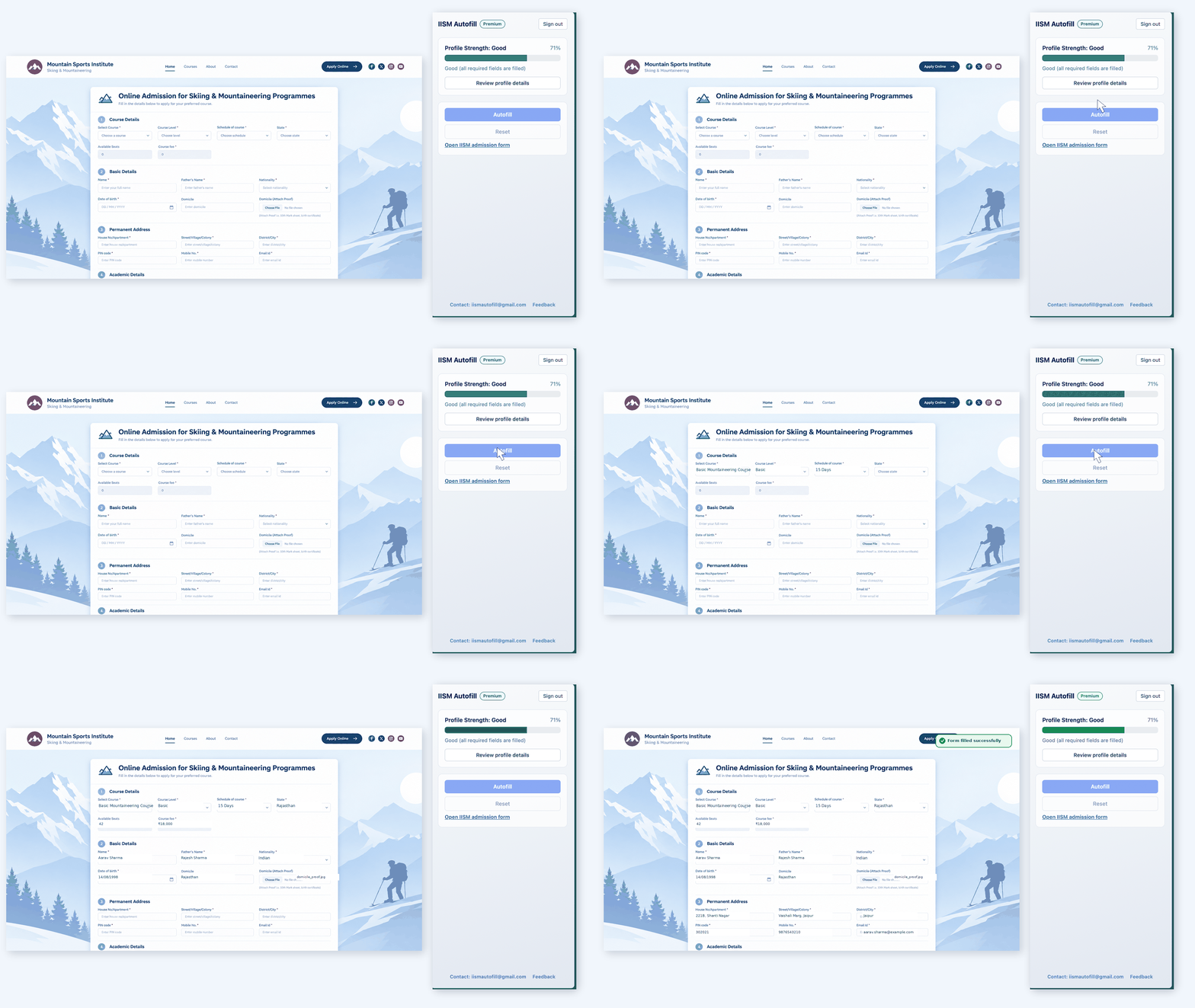
Set up once in the extension. On the day, open the form and press Autofill.
Every text field, dropdown and checkbox on the admission form filled from your saved profile. Dropdowns like course, state and blood group are matched to the exact option the form expects.
Photo, signature, date-of-birth proof, domicile proof, education proof, ski certificate and parent signature uploaded automatically. This is the part every other autofill skips.
The form reloads itself as you fill certain fields. IISM Autofill fills the text, waits for the page to settle, then uploads the files. No half-filled forms.
Your profile stays ready between course announcements. A profile-strength meter shows what is still missing before the day.
Your details and files are stored on your own computer, not on our servers. Only your Google sign-in and payment status ever leave your machine. Read the privacy policy.
The extension never submits the form. It fills, you review, you press submit.
Most autofill extensions were built for checkout pages. The IISM form is not a checkout page.
Enough to see it work on the live form.
Everything the form asks for, filled in one go.
Install, sign in with Google, then upgrade from the side panel. Paid securely through Razorpay. No subscription, no renewal.
[REFUND_POLICY]
Set up your profile today. When the form goes live, you are one click away.